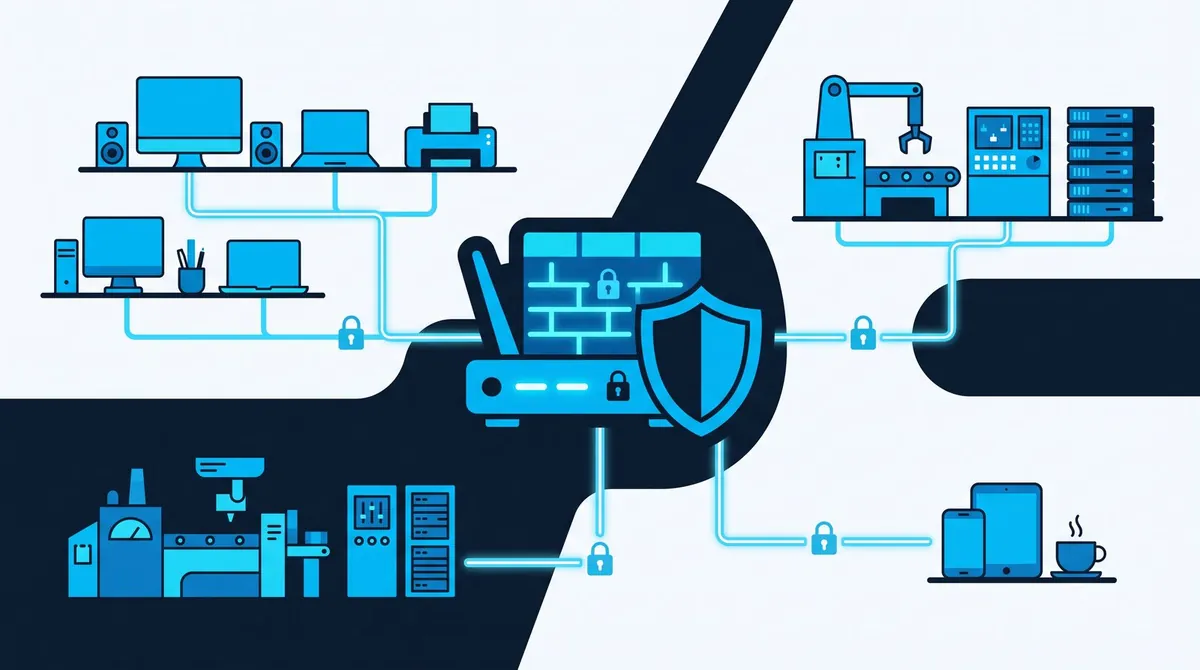
“We have a firewall, so we're protected.” This sentence is often heard in small businesses – and it's dangerous, because it confuses security with a single device. A firewall is an important building block, but only one of several. Factory default settings, a single large network for production, office and guest Wi-Fi, or unsecured remote access turn even the most expensive firewall into a device that achieves little when it really matters.
In this guide we put into perspective what really matters for small and medium-sized businesses when it comes to network security – without you needing your own IT department, but with a clear understanding of where the biggest gaps actually lie.
Why small businesses are an attractive target
A widespread misconception is: “We're too small to be interesting.” Often the opposite is the case. Today's attackers mainly rely on automated, widely spread attacks – vulnerability scanners that systematically search the entire internet for vulnerable devices, regardless of company size. Small businesses also often have fewer resources for IT security than large companies, yet similarly sensitive data: customer data, payment information, access to suppliers or partners. That makes them a worthwhile target, because an easier one.
On top of that, many small businesses are connected to larger partners via digital supply chains. A compromised small company can thus become the entry point for an attack on a larger business partner – one reason why clients increasingly ask about the IT security of their suppliers themselves.
The firewall alone isn't enough – but configured correctly, it's the foundation
A firewall controls which data traffic is allowed between the internal network and the internet – and increasingly also between internal network areas. What matters is not only that a firewall is present, but how it has been configured:
Change default passwords. A surprisingly common finding when reviewing existing networks: firewalls and routers are still running with the factory administrator password. It's one of the first things automated attack tools check.
Close unnecessary ports and services. Every open port, every enabled service that isn't actually needed is an additional potential attack surface. The rule is: only open what is actively needed – close everything else.
Keep firmware up to date. Firewalls and routers regularly receive security updates for newly discovered vulnerabilities. A device that hasn't been updated for years is vulnerable even if it was originally set up correctly.
Enable logging and check it occasionally. A firewall usually logs which connection attempts were blocked. In practice these logs are rarely looked at – yet they often provide the first signs of an ongoing attack attempt, long before it succeeds.
Network segmentation: the underestimated measure
Perhaps the most important but most frequently overlooked building block is network segmentation – dividing a network into logically separate areas, between which data traffic is controlled and restricted. In many small businesses, however, everything hangs on the same network: office PCs, till system, production machines, network printers, IoT devices such as cameras or smart thermostats, and the guest Wi-Fi for customers or visitors.
The problem: as soon as a single device in this shared network is compromised – for example a private smartphone on the guest Wi-Fi or an outdated IoT camera – an attacker can move on from there through the entire network and, in the worst case, also access sensitive systems such as the till system or accounting.
A sensible basic segmentation for a typical small business often looks like this:
- Office network: workstations, internal servers, printers
- Production/operations network: machine controls, till systems, specialised business applications
- Guest Wi-Fi: completely isolated, no access to internal resources
- IoT/device network: cameras, smart devices, networked printers
This separation can be implemented with a suitable firewall and appropriately configured VLANs (virtual networks), without the need for separate physical cabling. The effort is manageable, the security gain considerable – if something does happen, an incident stays confined to one segment instead of spreading unhindered through the entire business.
Secure remote access: VPN instead of open ports
Since hybrid working and remote maintenance have become part of everyday life, many businesses open up access from outside – for example so that staff can access internal systems from home or a service provider can maintain a machine remotely. The least secure way of doing this: opening a port directly on the router and making a device or service directly reachable from the internet. That is essentially an open door.
The much safer standard route is a VPN (virtual private network): users first establish an encrypted, authenticated connection to the company network, and only then do they get access to internal resources – usually restricted to what they actually need. Modern firewalls such as MikroTik or Fortinet devices already come with VPN functionality, often without additional licence costs. Setting it up requires some care with the configuration, but it is a one-off investment that permanently creates a much more secure foundation than open ports.
Multi-factor authentication: the most effective single step
If we had to prioritise just one measure in a security review, it would be this: multi-factor authentication (MFA) for all important access points – VPN, email, cloud services, remote access to the firewall itself. MFA means that, in addition to the password, a second factor is needed to log in, such as a code from an authenticator app on your smartphone. Even if a password falls into the wrong hands through phishing or a data leak, access remains locked without the second factor.
The effort to set it up is small, while the security gain is one of the biggest that can be achieved with reasonable effort at all. Many of the security incidents we see in practice would not have been possible in the first place with MFA enabled.
Logging and auditing: knowing what's happening in the network
Security doesn't end with configuration – a network that nobody watches often only reports an incident once the damage has already been done. Basic monitoring, for example with tools such as Zabbix or PRTG, reveals unusual patterns early on: a device that suddenly sends large amounts of data out, an unusually high number of failed login attempts, or a service that becomes active outside normal hours. For small businesses this doesn't have to be an elaborate security operations centre – often lean monitoring of the most important systems with automatic notification of anomalies is enough.
The GDPR angle: network security is also a data protection obligation
For businesses that process personal data – and that applies to practically every business with customer or employee data – an appropriate level of network security is not only sensible but also legally required under Article 32 GDPR (“appropriate technical and organisational measures”). A documented basic concept consisting of firewall, segmentation, access control and backup strategy fulfils this requirement in practice and, if something happens – for example when the supervisory authority makes enquiries after an incident – is also important evidence that appropriate precautions were taken.
Wi-Fi security: an often overlooked part of the same topic
Network security doesn't end at the cable – Wi-Fi is an essential part of it, but is often neglected in practice. An outdated encryption standard (WEP or older WPA instead of current WPA3 or at least WPA2), a Wi-Fi password unchanged for years that half the former workforce now knows, or a guest Wi-Fi that technically runs on the same network as the office PCs are classic weaknesses we regularly come across in reviews.
A clear separation makes sense: a separate, isolated guest Wi-Fi without access to internal resources, a dedicated Wi-Fi for office devices with current encryption, and – if present – another, likewise isolated network for IoT devices such as cameras or smart controls. The Wi-Fi password should also be changed at reasonable intervals, especially after employees who knew it have left.
IDS/IPS: an additional layer of protection for higher requirements
For businesses with greater protection needs – for example with particularly sensitive customer data or industry-specific compliance requirements – it is also worth looking at an intrusion detection or intrusion prevention system (IDS/IPS). While a classic firewall mainly decides by rules which traffic is generally allowed, an IDS/IPS also detects suspicious patterns within the permitted traffic – for example a login attempt typical of an automated attack, even if the underlying port is regularly open. Many modern firewalls (e.g. from Fortinet) already have this function built in and can be activated with reasonable additional effort.
For most small businesses, an IDS/IPS is not an essential first step, but a sensible next step once the basics – firewall configuration, segmentation, VPN, MFA – are in place.
Cost-benefit: where investment pays off most
Not every business can or must invest in every one of these measures straight away. In our experience, the order by cost-benefit ratio is usually as follows: first the free or very cheap steps – change default passwords, close unnecessary ports, update firmware, enable MFA for existing services. Then the measures requiring a manageable one-off investment – VPN set-up, Wi-Fi separation, basic segmentation with existing or easily retrofitted hardware. Only after that, depending on protection needs, larger investments such as an IDS/IPS-capable firewall upgrade or a comprehensive monitoring system. This order ensures that the most effective measures per euro invested are implemented first.
A real-world example
At a trades business with an attached workshop, the office PCs, the till system and several IP cameras for monitoring the workshop originally all ran in a single, flat network – and an open port for remote maintenance of a machine had been set up directly on the router. After the changeover, office, till system and cameras ran in separate network segments, and the open port was closed and replaced by VPN access with multi-factor authentication. The noticeable difference in everyday work: practically none – all systems work as before. The difference in an emergency: considerable, since a compromised device would no longer automatically have access to the entire network.
Checklist: network security for small businesses
First check whether default passwords are still active on your firewall and router, and change them immediately if so. Check which ports are actually open to the outside, and close everything that isn't actively needed. Find out whether guest Wi-Fi, production systems and office network are separated from each other or run in a shared network. Check how remote access currently works – via open ports or via a VPN. Enable multi-factor authentication for all important access points, starting with email, cloud services and VPN. Make sure that firmware and software on the firewall, router and important systems are updated regularly.
Frequently asked questions
Is the firewall built into the router enough for a small business? For a purely private household set-up often yes; for a business with several workstations, sensitive data or special systems such as till solutions, we recommend a dedicated firewall (e.g. MikroTik or Fortinet), as it offers much more control over segmentation, VPN and logging.
How long does it take to set up sensible basic protection? A solid foundation of a correctly configured firewall, basic segmentation and VPN access can often be implemented for a typical small business within a few days without disrupting day-to-day operations – the work is usually done outside main business hours.
Roughly what does network security cost for a small business? That depends heavily on the existing infrastructure and the scope. After a free initial analysis, we prepare a concrete quote tailored to your business – often a lot can be achieved with existing hardware and targeted reconfiguration before larger new purchases become necessary.
Do we really need multi-factor authentication everywhere? Priority goes to access points with high damage potential if misused: email mailboxes, VPN, cloud storage, admin access to firewall and servers. From there, coverage can be extended step by step.
How can we tell whether our network has already been compromised? Typical warning signs are unusually slow systems, unexpected data traffic, warnings from antivirus software or login attempts at unusual times. If in doubt, we carry out a targeted check with tools such as Wireshark and Nmap to make anomalies visible.
Is network security a one-off project or an ongoing task? More the latter – new vulnerabilities are constantly being discovered, devices come and go, staff change. One-off basic protection is the most important first step; regular review and maintenance keep the level of protection up over time.
Conclusion
A firewall is a necessary but not sufficient building block for a small business's network security. Only in combination with correct configuration, sensible network segmentation, secure remote access via VPN and multi-factor authentication does a level of protection arise that actually holds up when it matters. The good news: the most important measures can be implemented with manageable effort without disrupting day-to-day operations – what matters is tackling them systematically rather than piecemeal.
We analyse your existing network structure, point out concrete weaknesses and implement the right protection – from firewall configuration to segmentation.
Contact: +49 7042 16391 · [email protected] · Grabenstraße 18, 71665 Vaihingen an der Enz, Germany (near Stuttgart). We are happy to help in English.